Put any product on a white background
Shot on a kitchen table. Ready for the storefront, the marketplace, the catalog, the ad
Pixa Studio removes the background, centers the product, adds a natural shadow and exports every photo at the size your store expects, one product or a whole collection.
Independent shops and growing brands shoot with Pixa Studio
- Tallo Ceramics
- Larkmoor Outdoor
- Maison Arlette
- Kiko & Pine
- Bramble Row
- Sola Skin Lab
Same product, ready to sell
Shot with a phone next to a window, then processed with the pure white or the styled-scene background.
-
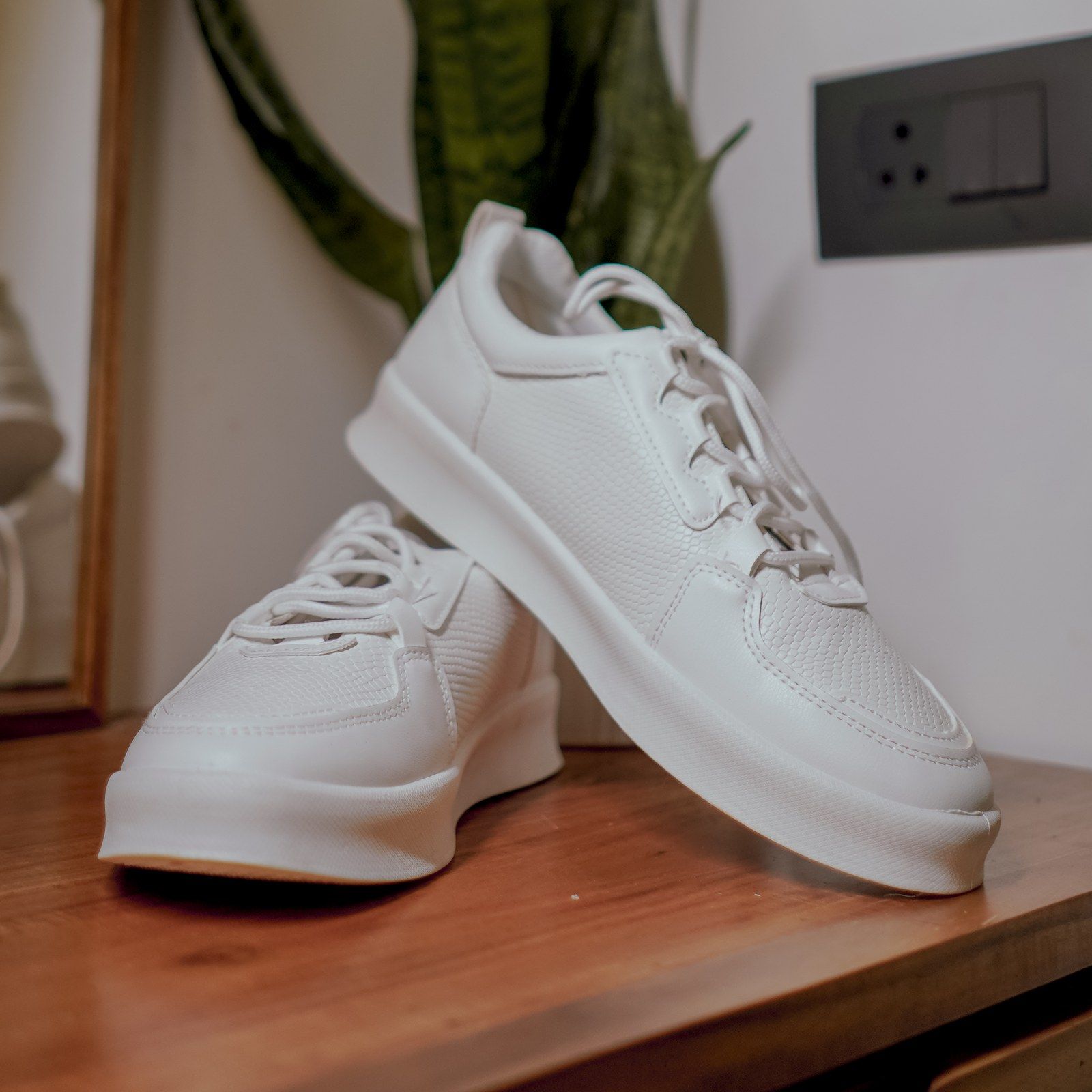
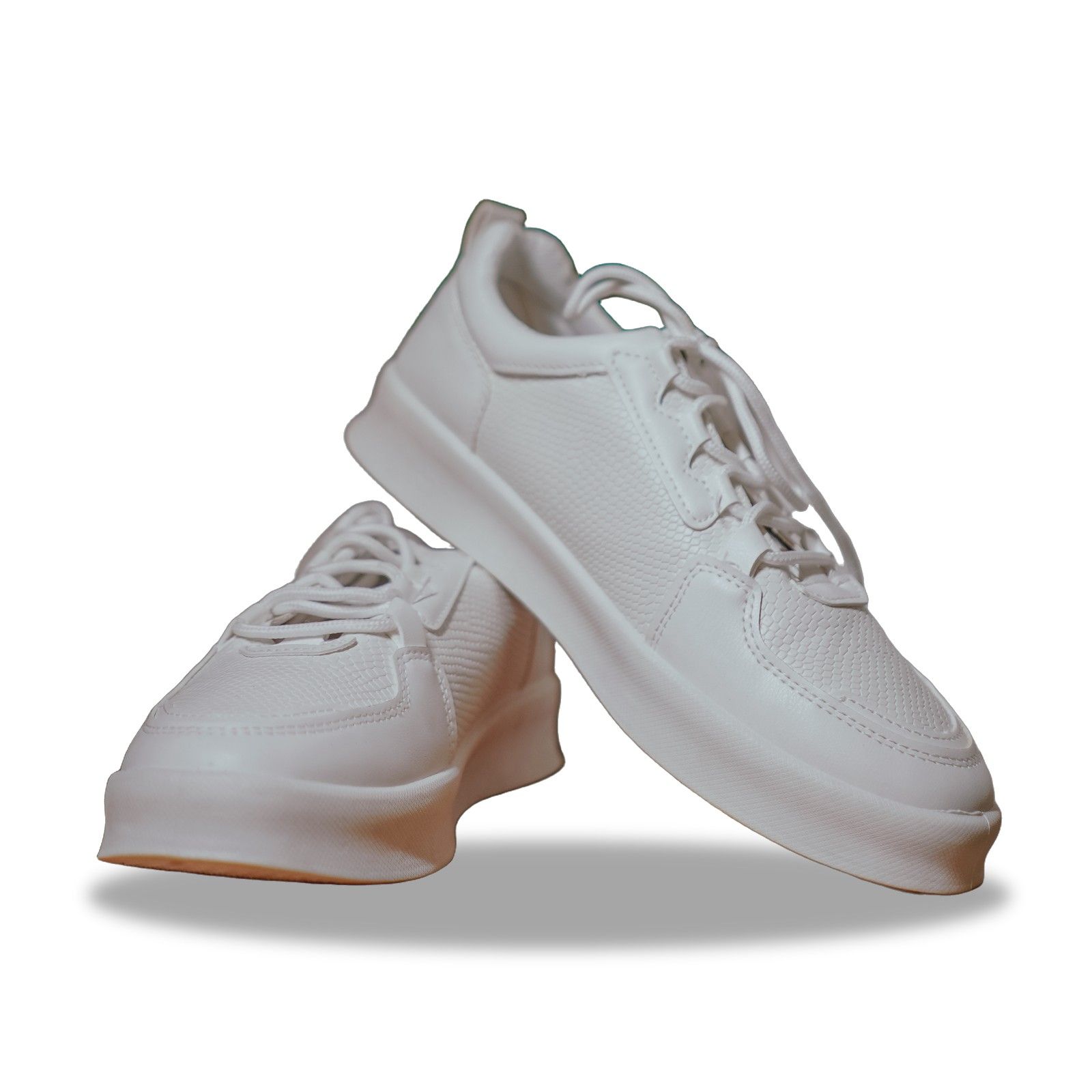
White sneakers
Shelf, plant and wall socket gone, the leather kept sharp, with a soft contact shadow underneath.
-
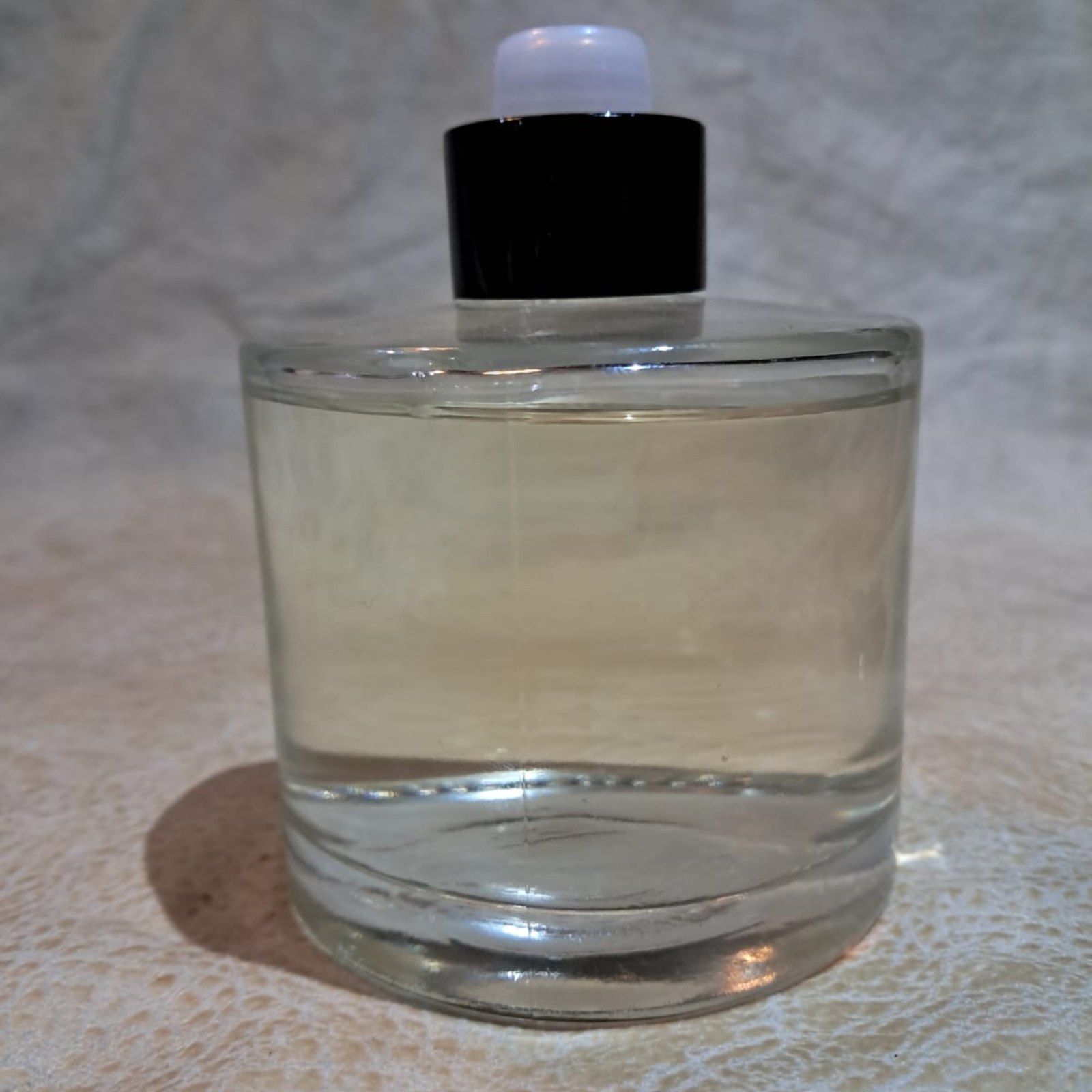
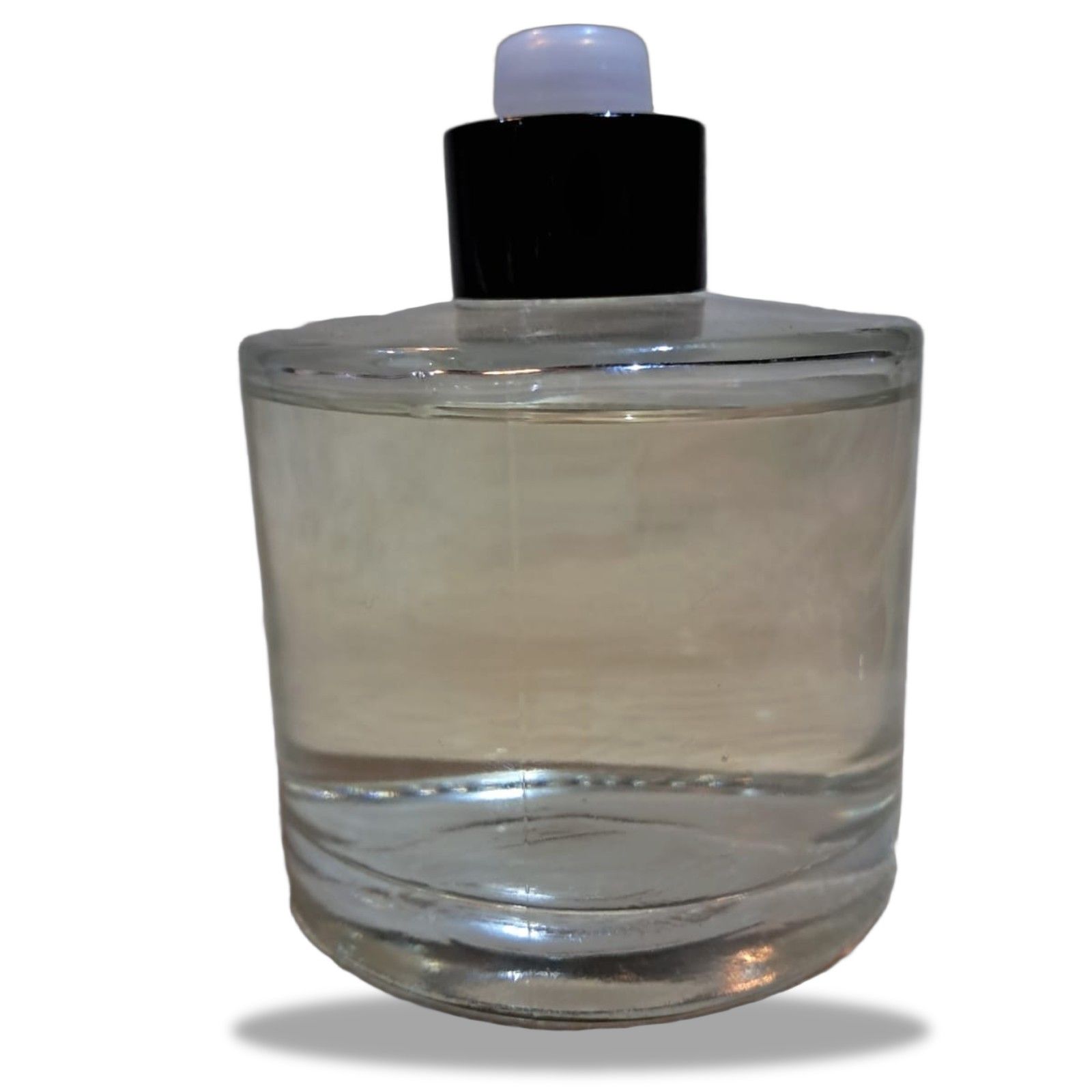
Glass bottle
The glass stays see-through and the cap stays sharp, with a soft shadow underneath.
-

Leather tote
Placed on a linen-and-oak scene, with the shadow and light direction matched to the original shot.
A whole collection in three steps
-
Drop up to 50 photos
Straight from your phone or camera: JPG, PNG, WebP or HEIC, up to 25 MB each. Batches are part of Pro and Team.
-
Choose the look once
Pure white, a soft gray or a styled scene, with margin and shadow set for the whole batch.
-
Check and export
Each photo takes about 5 seconds. Touch up any edge with the brush, then download everything as a ZIP.
The checks your store runs, passed
Marketplaces turn photos down for off-white backgrounds, tight crops and tiny files. Studio handles each one.
-
True white, not almost white
Backgrounds export at pure #FFFFFF, with no gray halo for automated checks to catch.
-
The same framing on every photo
Products are centered with identical margins, so a category page lines up like a grid.
-
Shadows that look real
Choose a soft contact shadow, a reflection or none; the light direction follows your original shot.
-
Sizes for every channel
Export square, 4:5 and 16:9 versions in one go, as JPG for marketplaces or WebP for your own store.
-
Colors left alone
Only the background and the shadow are generated. The product keeps the colors you photographed.
-
File names you can upload
Exports keep your original file names, so a bulk upload matches each photo to the right product.
From camera roll to catalog
Bring photos in and send finished files out the way your team already works.
-
Import
Upload from any device
Drag a folder on desktop or pick photos on mobile, including HEIC straight from an iPhone.
-
Export
ZIP download
One archive per batch, with every photo named after its original file.
-
Storage
File library
On Pro and Team, results stay in your library until you delete them, ready to download again.
-
Team
Brand presets
Save backgrounds, margins and shadows so every teammate exports the same look. On the Team plan.
-
API
REST API and webhooks
Send new products from your back office and get a webhook when each job is done. On the Team plan.
From a few products to a full catalog
One credit per product photo, whatever the background.
Product photo questions
Will my photos pass marketplace image rules?
Studio exports a pure white (#FFFFFF) background, a centered product and common marketplace sizes. Rules change and differ between marketplaces, so check the current requirements before a large upload.
Will the product’s colors change?
No. Pixa only generates the background and the shadow; the product pixels stay as you shot them. For accurate color, shoot in daylight or under one neutral light.
How many photos can I process at once?
Up to 50 per batch on Pro and Team, at about 5 seconds each. On the free plan, photos are processed one at a time.
Does it handle glass, jewelry and white products?
Yes, though they are the hardest cases. Glass keeps its transparency, and white products get a faint edge so they don’t melt into the background. Use the brush for any final touch.
Can I use my own background scenes?
Yes. Upload a background image or pick a color, and Pixa matches the shadow and light direction to it. On Team, save it as a brand preset for everyone.
Shoot it today, list it today
Upload a few product shots and see them on pure white in about 5 seconds each.