Your photo is ready
Format
Demo: nothing is uploaded or processed. Connect your API to make it real.
Scratches out, faces back, color optional.
Scan the print or simply photograph it with your phone. Pixa removes dust, cracks and creases, brings back faded contrast, sharpens faces and can colorize black-and-white pictures with natural tones.
50 free credits a month · no card needed
or paste an image with Ctrl + V
1 credit per photo · 2 at 8K
Demo: nothing is uploaded or processed. Connect your API to make it real.
Scan it at 600 dpi if you can, or take a straight, glare-free phone photo in daylight. JPG, PNG, WebP and HEIC files up to 25 MB are accepted.
Scratch and dust removal and contrast recovery run automatically. Turn on face enhancement and colorization if you want them.
Check every change with the before and after slider, then download the restored photo as JPG, PNG or WebP.
Removing every scratch by hand with a healing brush can take hours per print. Here it takes one click.
Face enhancement restores eyes, mouths and hairlines, where damage shows most. If a face looks off, switch it off and keep only the cleanup.
Colorization uses muted, natural tones rather than saturated filters, and the black-and-white version is always kept.
A flatbed scan at 600 dpi gives the best result. A phone photo works well if the print lies flat, is evenly lit and is shot straight on, without flash glare.
Small tears, cracks and missing corners are filled in automatically. If a large part of a face is missing, the result is a reconstruction rather than a recovery, so check it carefully.
The colors are an informed guess based on what is in the picture, not a record of the real colors. Clothes, cars and painted walls may differ from the originals.
Yes. Your prints are processed only to produce the restoration you asked for, never to train models, and the uploads are deleted after 24 hours unless you keep them in your library.
Yes. Download it at 2× to print at up to twice the size of the original without losing sharpness.
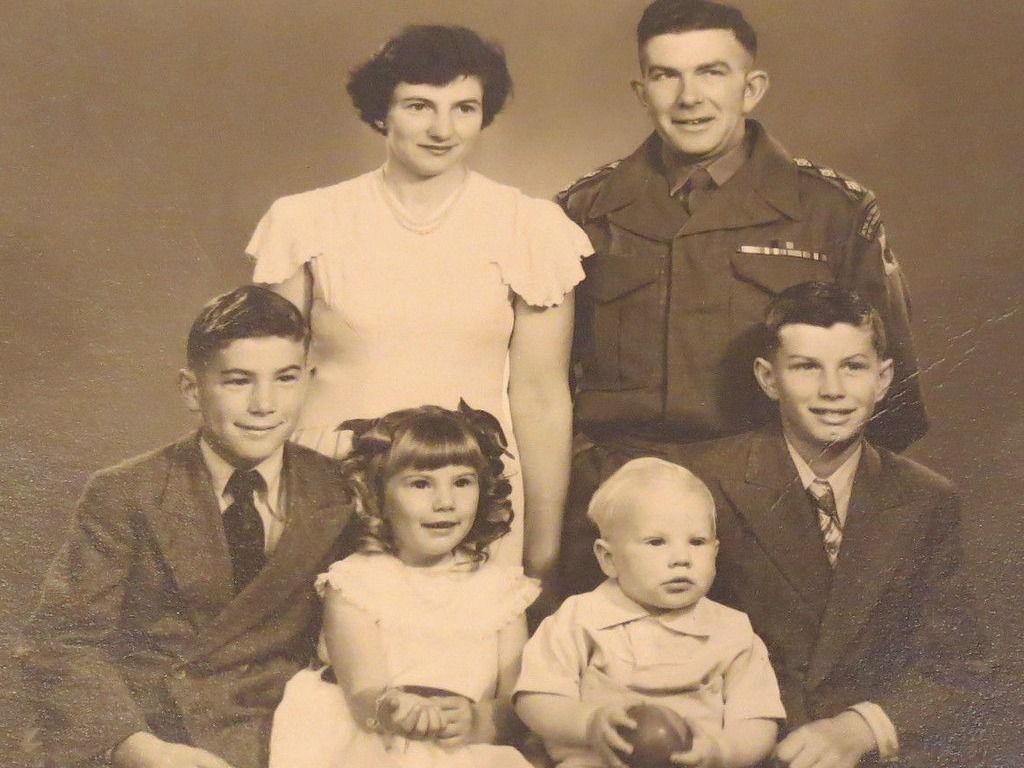
Scan the print properly, repair scratches, creases and stains, bring back faded colors and keep every face true to the person it shows.
Sharper details at 2×, 4× or straight to 8K.
Accepted formats: JPG · PNG · WebP · HEIC Export formats: PNG · JPG · WebP
One click, clean edges, transparent PNG.
Accepted formats: JPG · PNG · WebP · HEIC Export formats: PNG · WebP · JPG
iPhone photos that open everywhere.
Accepted formats: HEIC · HEIF Export formats: JPG · PNG · WebP
Scratches out, faces back, color optional.
50 free credits a month · no card needed